Asynchronous Strategies
August 11, 2026 · 5 min read · Angelos Ioakeimidis
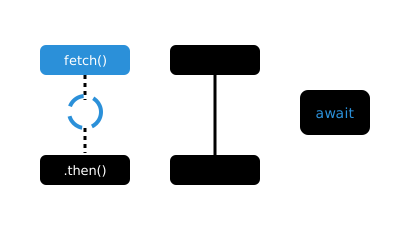
Tasks vs Microtasks
Here’s the split that changes everything. Synchronous code, callbacks, timers like setTimeout and setInterval are all classified as tasks. But every promise handler, meaning then, catch, and finally, is classified as a microtask.
Why does the label matter? Because a microtask runs as soon as the current task finishes, and it runs before the JavaScript runtime is even allowed to go idle. On top of that, any queued promise handlers will always execute before timers that were queued within that same task. Microtasks essentially cut the line, every single time.
function asyncOperation() {
  setTimeout(() => {
    console.log('timer')

    queueMicrotask(() => {
      console.log('microtask in timer')
    })
  }, 0)

  queueMicrotask(() => {
    console.log('microtask')
  })

  console.log('Start task...')
}

asyncOperation()

// Outputs
// Start task...
// microtask
// timer
// microtask in timer
Notice that even though the setTimeout is written first in the code and even though its delay is set to 0, the queueMicrotask call written after it still wins the race. That’s not a fluke, that’s the queue doing exactly what it’s designed to do.
Here’s a second example that shows the same principle playing out with actual promises:
let promise1 = Promise.resolve(44)
console.log('>>> Promise A <<<')

let promise2 = Promise.reject(55)
console.log('>>> Promise B <<<')

let promise3 = new Promise((resolve, reject) => {
  setTimeout(() => {
    resolve(66)
  }, 100)
})

console.log('>>> Promise C <<<')

let promise4 = Promise.all([promise1, promise2, promise3])

promise4.catch((reason) => {
  console.log(Array.isArray(reason)) // false
  console.log(reason) // 55
})

console.log('>>> Promise D <<<')

// OUTPUTS:
// '>>> Promise A <<<'
// '>>> Promise B <<<'
// '>>> Promise C <<<'
// '>>> Promise D <<<'
// false
// 55
All four synchronous console.log calls fire first, in order, because none of the promise handling actually happens until the current task wraps up. Only once that’s done does the microtask queue get its turn.
Promise Methods and Their Use Cases
Promise.all
Use this when you’re waiting on multiple promises to fulfill, and a single failure should be treated as a failure of the whole operation. All or nothing, basically.
let promise1 = Promise.resolve(44)

let promise2 = Promise.reject(55)

let promise3 = new Promise((resolve, reject) => {
  setTimeout(() => {
    resolve(66)
  }, 100)
})

let promise4 = Promise.all([promise1, promise2, promise3])

promise4.catch((reason) => {
  console.log(Array.isArray(reason)) // false
  console.log(reason) // 55
})
If any promise in the array rejects, Promise.all immediately rejects with that single reason, no array wrapping involved. Common use cases include processing multiple together, calling multiple dependent web service APIs, and creating artificial delays.
Promise.allSettled
This one’s for when you don’t want a single rejection to sink the whole operation. Maybe you want to ignore rejections, handle them individually, or just allow for partial success.
let promise1 = Promise.resolve(11)

let promise2 = Promise.reject(22)

let promise3 = new Promise((resolve, reject) => {
  setTimeout(() => {
    resolve(33)
  }, 100)
})

let promise4 = Promise.allSettled([promise1, promise2, promise3])

promise4.then((results) => {
  console.log(Array.isArray(results)) // true

  console.log(results[0].status) // "fulfilled"
  console.log(results[0].value) // 11

  console.log(results[1].status) // "rejected"
  console.log(results[1].reason) // 22

  console.log(results[2].status) // "fulfilled"
  console.log(results[2].value) // 33
})
Instead of short-circuiting on the first rejection, it waits for everything to settle and hands you back a full report card, one entry per promise, each tagged as either fulfilled or rejected. Great for processing multiple files separately, calling multiple independent web service APIs, and waiting for animations to finish.
Promise.any
This is the optimist of the bunch. Use it when you just need any one of the promises to fulfill, and you genuinely don’t care how many others reject along the way. The only way it fails is if every single promise rejects, in which case you get back an AggregateError.
let promise1 = Promise.reject(44)

let promise2 = new Promise((resolve, reject) => {
  reject(55)
})

let promise3 = new Promise((resolve, reject) => {
  setTimeout(() => {
    reject(66)
  }, 100)
})

let promise4 = Promise.any([promise1, promise2, promise3])

promise4.catch((reason) => {
  // Runtime dependent error message
  console.log(reason.message)

  // output rejection values
  console.log(reason.errors[0]) // 44
  console.log(reason.errors[1]) // 55
  console.log(reason.errors[2]) // 66
})
Typical use cases here are executing hedged requests and using the fastest response in a service worker, basically anywhere you’d rather succeed once than wait for consensus.
Promise.race
And then there’s the one that doesn’t care about success or failure at all, it just cares about who crosses the finish line first. Whichever promise settles first wins, and the outcome of Promise.race mirrors that promise exactly. Fulfilled first means fulfilled. Rejected first means rejected.
let promise1 = Promise.resolve(11)

let promise2 = new Promise((resolve, reject) => {
  resolve(22)
})

let promise3 = new Promise((resolve, reject) => {
  setTimeout(() => {
    resolve(33)
  }, 100)
})

let promise4 = Promise.race([promise1, promise2, promise3])

promise4.then((value) => console.log(value)) // 11
Since promise1 is already resolved and gets evaluated first, it wins the race before promise2 and promise3 even get a real shot.
Why This Actually Matters
Here’s the thing I’ve come to appreciate about all this: picking the right Promise method isn’t just a style choice, it genuinely changes your app’s behaviour under failure. Do you want one bad API call to take down the whole batch, or should the rest keep going? Do you actually need every result, or would the fastest one do just fine? Once you know the queueing rules and have those four tools sitting in your back pocket, async code stops feeling like guesswork and starts feeling like a series of very deliberate decisions.
Microtasks (promise handlers) always run before the next tasks such as timers and callbacks - even a 0ms setTimeout loses to a queued
.then().Promise.allfails fast on the first rejection;Promise.allSettledwaits for everything and hands back a status per promise instead.Promise.anyresolves on the first fulfillment and only rejects (with anAggregateError) if every promise fails;Promise.racesettles on whichever promise finishes first, win or lose.
Liked this article? Share it with a friend on Twitter or support me to take on more ambitious projects to write about. Have a question, feedback or simply wish to contact me privately? Shoot me a DM and I'll do my best to get back to you.
Have a wonderful day.

Angelos Ioakeimidis
Data Science & AI Student. Writing about software engineering, design, and AI.