Iterables and Loops
August 11, 2026 · 8 min read · Angelos Ioakeimidis
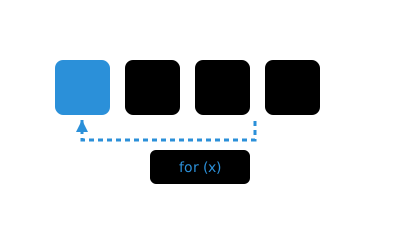
Ever stared at a piece of code and thought, “why did they use a for loop here instead of for...of?” I have, more times than I’d like to admit. Turns out there’s no single right answer, but there are some genuinely useful guidelines for when each loop earns its spot. Let’s walk through them together.
Synchronous iteration
There is no wrong or right on when to use a specific loop type but here are few a guidelines on where to use each:
| Loop | When to use it |
|---|---|
for...of
|
Loop through an array of elements or iterables (Set, Map). You
do not care about the index but rather key:value.
|
for loop
|
Loop through an array while tracking the index. |
while loop
|
Loop until a condition is met. |
label statement
|
Use loop<label>: for easier reading with nested loops.
|
Let’s see each of these in action.
// [1] for...of + array or iterables
for (let value of ['a', 'b', '', 'never']) {
  if (!value) break
  console.log(`${value}`)
}

const iterables = Array.from({ length: 10 }, (_value, index) => index)
for (let [key, value] of iterables.entries()) {
  console.log(`key = ${key}, value = ${value}`)
}
Notice that empty string in the first loop? Since !value is truthy for an empty string, the loop breaks the moment it hits it, and 'never' never gets logged. That’s the kind of condition-based exit for...of handles gracefully.
// [2] for loop + tracking index
let set = new Set(),
  n = 100

for (let i = 0; i < n; i++) {
  set.add(i)
}
Here we genuinely need i for something, counting up to a fixed number, so a plain for loop is the natural fit.
// [3] while loop + business logic
function bubbleSort(arr) {
  let unsortedUntilIndex = arr.length - 1
  let isSorted = false

  loopIsSorted: while (!isSorted) {
    isSorted = true
    loopDoSorting: for (let i = 0; i < unsortedUntilIndex; i++) {
      if (arr[i] > arr[i + 1]) {
        ;[arr[i], arr[i + 1]] = [arr[i + 1], arr[i]]
        isSorted = false
      }
    }
    unsortedUntilIndex -= 1
  }

  return arr
}

bubbleSort([65, 55, 45, 35, 25, 15, 10])
This is a great example of a while loop paired with actual business logic. We don’t know in advance how many passes bubble sort needs, we just know we keep going until nothing swaps anymore. That’s exactly the kind of “until a condition is met” scenario a while loop was made for. And notice the labels, loopIsSorted and loopDoSorting, they make it immediately obvious which loop is which when you’re scanning nested logic.
Nested Loops, Break, and Continue
Now, a word of caution on nesting: as a rule of thumb, try to keep nested loops to two levels at most. If you catch yourself going deeper than that, it’s usually a sign you should be reaching for a better data structure or swapping the nested loops for something like Array#reduce, Array#map, Array#filter, Array#includes, Array#findIndexOf, Array#some, or Array#every instead.
If you find yourself nesting loops more than two levels deep, it's worth learning about better data structures. Learn about data structures →
// [4] nested loops + 'break' or 'continue'
function nestedLoops() {
  const set = new Set()
  loopOne: for (let i = 0, iLen = 5; i <= iLen; i++) {
    loopTwo: for (let j = 0, jLen = 5; j <= jLen; j++) {
      if (i === 3) continue loopOne
      if (j === 3) break loopTwo
      set.add(`i = ${i}, j = ${j}`)
    }
  }

  return set
}

nestedLoops()
Here’s where labeled statements really earn their keep. continue loopOne skips straight to the next iteration of the outer loop, while break loopTwo only escapes the inner one. Without those labels, continue and break would only ever affect the innermost loop they’re written in, which isn’t always what you want.
Asynchronous Parallel Iteration map
Loops get more interesting once async enters the picture. When you need to run asynchronous operations in parallel, combining await, Promise.allSettled, and map is the move.
export async function printFiles() {
  const files = await getFilePaths()

  await Promise.allSettled(
    files.map(async (file) => {
      const content = await fs.readFile(file, 'utf8')
      console.log(content)
    }),
  )
}
There are a few points to mention:
- The anonymous function inside the map gets processed immediately.
- There are as many async operations in-flight as the elements in the
filesarray. - Every async gets processed in parallel.
- When all the async operations get settled the outcome is an array in the same order as in the array.
Asynchronous Parallel Iteration for...of
If you already have an array of promises sitting around and want to loop through the results, Promise.allSettled combined with for...of is really your only path.
const promises = [Promise.reject(new Error('Failed')), Promise.resolve(34)]

console.log('About to start for...loop')
for (const res of await Promise.allSettled(promises)) {
  console.log(res)
}
By waiting Promise.allSettled, first, you get back a resolved array of status objects, which a regular for...of can then happily iterate over.
Asynchronous Sequential Iteration reduce
Sometimes parallel isn’t what you want at all. Sometimes each step genuinely depends on the one before it, and that’s where a sequential reduce comes in.
;(async () => {
  const waitFor10 = waitFor(10)
  const startTime = new Date().getTime()

  const asyncRes = await asyncNumber.reduce(async (acc, cur) => {
    const accumulator = await acc // it makes sequential
    await waitFor10()
    return Promise.resolve(accumulator + cur)
    // return (await acc) + cur // it makes parallel
  }, Promise.resolve(0))

  console.log(asyncRes)
  console.log(`Took ${new Date().getTime() - startTime} ms`)
})()

// Output:
// Sequential Run (`await acc` first) : 335ms
// Parallel Run (`await acc` last) : 13ms
The order in which you await really does change everything. Await acc first, and each iteration has to wait for the previous one to finish, running things one after another. Move that await to the end of the expression instead, and suddenly everything kicks off in parallel. Same-looking code, wildly different runtime. And honestly, running things sequentially isn’t usually a problem, since anything that doesn’t depend on the accumulator gets calculated immediately anyway. Only the genuinely dependent parts have to wait their turn.
Asynchronous Sequential Iteration for-await-of
The for-await-of loop calls Promise.resolve() on each value coming out of an iterable, then waits for each one to resolve before moving to the next iteration. But here’s the part that trips people up: it’s meant for asynchronous iterators, not for an array of promises you’ve already created.
const simulateDelay = (val, delay) =>
  new Promise((resolve) => setTimeout(() => resolve(val), delay))

class AsyncIterableRandomNumberGenerator {
  [Symbol.asyncIterator]() {
    return {
      next: async () => {
        return simulateDelay({ value: Math.random() }, 1000)
      },
    }
  }
}

const rand = new AsyncIterableRandomNumberGenerator()

;(async () => {
  for await (const random of rand) {
    if (random < 0.1) break
  }
})()
This shines when the values themselves are generated asynchronously, one at a time, rather than existing upfront as a neat array you can just map over.
Asynchronous Sequential Iteration Array.fromAsync
Finally, if for-await-of feels like more ceremony than you need, Array.fromAsync gives you a tidy alternative.
const wait = (ms = 1000) => new Promise((r) => setTimeout(() => r(ms), ms))
const response = await Array.fromAsync([wait(1000), wait(2000), wait(3000)], (num) => num * 2)

console.log(response) // [2000, 4000, 6000]
It handles the resolving and mapping in one clean step, and hands you back a plain array when it’s done.
Want to go deeper on async?
Tasks vs microtasks, and when to reach for Promise.all, allSettled, any, or race.
Reach for
for...ofwhen you don't need the index, a classicforloop when you do, and label statements (loop:) to keep nestedbreak/continuereadable.More than two levels of nested loops is a signal to reach for
Array#reduce/map/filterinstead, not to add a third label.files.map(async ...)plusPromise.allSettledruns every iteration in parallel;reducewithawait accforces them to run one at a time.for-await-ofis for async iterators, not arrays of promises you already have -Promise.allSettledis the right tool for the latter.
Liked this article? Share it with a friend on Twitter or support me to take on more ambitious projects to write about. Have a question, feedback or simply wish to contact me privately? Shoot me a DM and I'll do my best to get back to you.
Have a wonderful day.

Angelos Ioakeimidis
Data Science & AI Student. Writing about software engineering, design, and AI.